Mobile Core Concepts
How Rendering Works
The Android frame pipeline - main thread to RenderThread to SurfaceFlinger to display - plus Compose phases, Hardware Composer fallback, and how WebView's parallel pipeline meets up at the compositor.
Rendering on Android is the path from "your state changed" to "pixels on the display." It's a five-stage pipeline that crosses three threads, one IPC boundary, and ends at the system compositor. Understanding it lets you reason about why animating alpha is free and animating size is not, why a LazyVerticalGrid of full-resolution photos drops frames even when CPU is idle, and where in the pipeline jank actually originates. This page walks the pipeline stage by stage, covers Compose's three-phase model on top of it, and ends with WebView - which runs its own parallel pipeline that meets the native one at SurfaceFlinger.
The frame pipeline
A frame on Android goes through five stages, three of which run on different threads:
The display ticks at a fixed rate (60 / 90 / 120 Hz on modern hardware). On each tick, Choreographer wakes the main thread with doFrame() and the pipeline runs once. If the main thread + RenderThread + GPU haven't finished producing a buffer before the next VSYNC, SurfaceFlinger reuses the previous frame and you see jank.
The frame budget is the only deadline that matters end to end:
| Refresh rate | Frame budget | What overruns look like |
|---|---|---|
| 60 Hz | 16.6 ms | Visible dropped frames on fling, choppy animation |
| 90 Hz | 11.1 ms | Most "feels fast" mid-range devices target this |
| 120 Hz | 8.3 ms | Premium devices; very little slack |
Triple buffering (one buffer displayed, one being rendered by GPU, one being written by RenderThread) hides most single-frame overruns from the user, but it doesn't expand the budget - sustained overrun still shows as stutter.
Sources: Android graphics architecture (AOSP) · Perfetto docs
Main thread - measure, layout, draw
Everything that touches the UI tree runs here. Views and Compose share the thread but differ in shape.
Views
The traditional View pipeline is three passes over the tree:
- Measure - parent passes constraints down, each child reports back its desired size. Single pass top-down then bottom-up.
- Layout - parent places each child at an
(x, y)using the measured sizes. - Draw - each
View.onDraw(Canvas)records draw commands into aRenderNode's display list. Drawing on the main thread records; it doesn't actually rasterize.
The recorded display list is handed to the RenderThread on sync. The main thread is done for this frame.
Compose phases
Compose splits the same work into three phases, each runnable independently:
The win is phase skipping. If only a drawing property changes (color, stroke), Composition and Layout are skipped - only Drawing runs. Animating a Color is therefore cheaper than animating a Size (which forces a re-layout), which is cheaper than animating something that toggles between different composable subtrees (which forces re-composition).
Which composables re-run during Composition is decided by where you read state. Recomposition scope is the smallest subtree that reads the changed state - so a State that changes every frame, read in MyScreen(), recomposes the whole screen. Push the read down into the smallest composable that actually needs it.
graphicsLayer - exiting the main thread
Modifier.graphicsLayer { alpha = …; translationX = … } is the escape hatch. Changing alpha, translationX/Y, scaleX/Y, or rotationZ on a graphicsLayer updates the underlying RenderNode directly on the RenderThread - the main thread isn't woken at all.
| Change | Main thread phases | Cost |
|---|---|---|
graphicsLayer property | None | Cheapest. RenderNode property updated on RT. |
| Canvas draw property | Drawing only | Cheap. Composition + Layout skipped. |
| Size change | Layout + Drawing | Moderate. Forces re-layout. |
| Content swap | Composition + Layout + Drawing | Full pipeline. |
The catch: each graphicsLayer creates a RenderNode that the compositor must blend. Too many on screen at once pushes the layer count past the Hardware Composer's plane limit (see below) and forces GPU compositing.
Source: Jetpack Compose phases
RenderThread
Once the main thread finishes its three passes (or Compose's three phases) and the display lists are recorded, the RenderThread takes over. Three things happen:
- Sync - the display lists from the main thread are copied to RT-owned
RenderNodes. The main thread is now free for the next frame. - Command translation - RT walks the RenderNode tree and translates the recorded commands into OpenGL ES or Vulkan API calls.
- GPU submission - the commands are submitted to the GPU driver. The GPU rasterizes them into a pixel buffer that lives in shared memory (a
GraphicBuffer).
When the GPU finishes, RT signals SurfaceFlinger that the buffer is ready. SF picks it up at the next VSYNC.
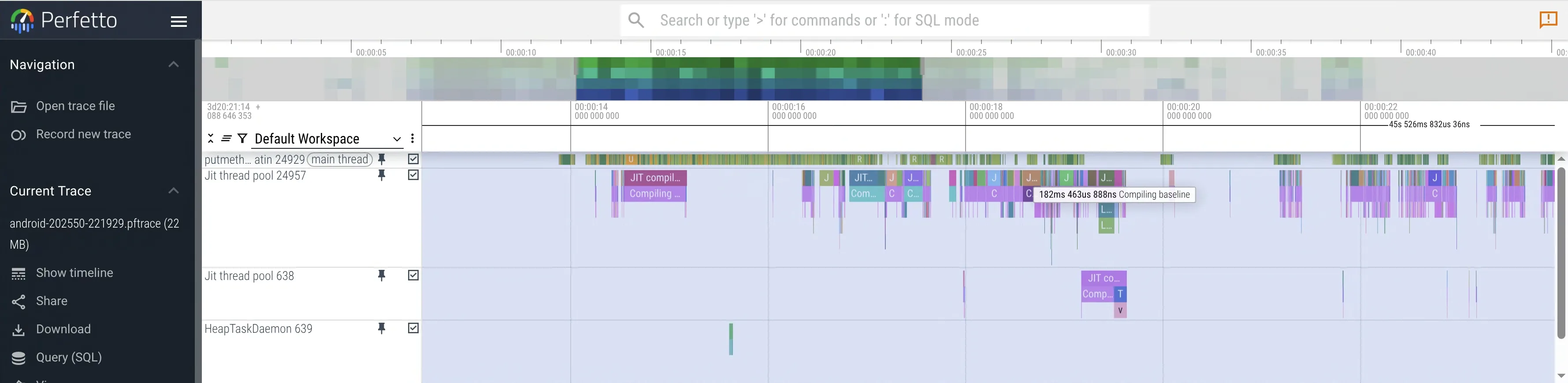
A blocked main thread shows up on a Perfetto trace as a long bar on the MainThread track. A blocked RenderThread (rare; usually a GPU stall under heavy effects) shows up as a long bar on the RenderThread track. The two are independent - a fast main thread can still drop frames if the GPU can't keep up.
SurfaceFlinger + Hardware Composer
Every visible thing on the screen is a Surface: your app, the status bar, the navigation bar, the IME, system dialogs, drag shadows. SurfaceFlinger is the OS process that takes the latest buffer from each Surface and combines them into the final frame.
The combine step has two implementations:
Hardware Composer (HWC) is dedicated silicon on the SoC. It handles basic alpha blending, simple transforms (rotation, scale), and a small number of layers in parallel - typically 4 to 8 planes depending on the chipset. When HWC can take all of them, the GPU isn't involved in compositing at all. Lower power, no contention with your app's rendering.
GPU composition is the fallback. When the number of layers exceeds the HWC plane budget, or any layer needs an effect HWC can't do (blur via RenderEffect.createBlurEffect, complex rounded-corner clips, certain blend modes), SF uses the GPU to pre-merge layers before handing the result to HWC. Now the GPU is doing two jobs: rendering your app's frame and compositing.
This is why overdraw matters beyond the obvious "wasted pixel fill" reason. A screen with a bottom sheet over a scrim over a backdrop over a translucent toolbar might add up to 9 layers - past the HWC budget - and silently flip the entire system into GPU composition mode. Your app is suddenly competing with the compositor for GPU time, on the same chip.
WebView is a particularly heavy contributor: each WebView adds 1-2 extra Surfaces on top of the native UI layers.
Source: Android rendering performance
WebView - the parallel pipeline
Unlike native Views, a WebView in your layout is a hollow placeholder - none of the visible pixels are produced by the Android UI pipeline at all. Whatever you see is rendered by a completely independent stack: Chromium's own Blink layout engine, its own compositor (CC), and its own GPU process, into a separate Surface. The Android RenderThread never touches a single pixel of web content; it only knows that some Surface in the layout will be filled by something else, and hands the slot to SurfaceFlinger.
This is the key mental model shift. Reasoning about WebView performance using your knowledge of the native pipeline gives the wrong answer for almost every question - because the work that decides the frame isn't happening on threads you can see in Android's profilers. You need Chromium's tracing to see it.
The two pipelines run on independent thread pools, in independent processes, and meet only at SurfaceFlinger. That independence is also the core hard problem: both pipelines must hit the same VSYNC deadline for the composite frame to look coherent.
| Pipeline | Frame time | |
|---|---|---|
| Native UI | 8 ms | ✓ ready for VSYNC |
| WebView | 22 ms | ✗ misses deadline - SF composites native UI with the previous WebView frame; web content lags by one frame |
This is why scrolling a list that contains a WebView feels worse than scrolling a list of native cards: the WebView's frame may not match the list's offset at composite time, and the user sees one frame of misalignment.
Modern WebView (Chrome 76+, VizCompositor architecture) uses SurfaceControl / ASurfaceTransaction to let Chromium drive its own layer position, alpha, and transform at the SurfaceFlinger level directly. Zero-copy: web content pixels go to SF without an intermediate buffer copy through the Android render pipeline. This is the rendering improvement behind WebView feeling much closer to native performance since 2019.
com.google.android.webview is shipped as a system APK updated independently via Play Store; the WebView System Health team owns it for the whole Android install base. A regression in that one component is felt by every app that embeds it.
Sources: Android WebView overview · Chromium graphics design
See also
- Concurrency - the main thread the pipeline runs on is the same thread that runs coroutines on
Dispatchers.Main. Blocking it blocks the frame pipeline. - Compose - covers
remember, recomposition skipping, stability annotations, and Modifier chain semantics in depth; this entry only touches the phase model. - Performance and Profiling - Macrobenchmark, Perfetto, frame-budget arithmetic in practice; this page covers the model that profiling tools surface.
- Memory and GC - bitmap memory accounting and GC pauses both visibly show up as pipeline jank.
Used in
- Photo Gallery App - the
LazyVerticalGridfling test is fundamentally a frame-pipeline test; the three-tier thumbnail design is what keeps the main thread + RenderThread + GPU under budget at 100-cell scroll. - Newsfeed App - feed fling is the same constraint; image-loading scheduling and
graphicsLayer-based reaction animations are designed around the phase model. - Doc Editor App - if the design picks WebView for the editor surface (a real tradeoff), the WebView pipeline becomes the spine and the frame-sync problem is a critical deep dive.
- Messenger App - typing-indicator and reaction animations are the right place to discuss
graphicsLayerand phase skipping during message-list scroll.
Done reading? Mark it so it sticks in your dashboard.